Please raise your hand if you’ve ever dropped your phone on the ground.
You hold your breath as you reach down and pray that your screen hasn’t cracked. Flipping it over, you find a perfectly smooth screen, put it back in your pocket and continue with your day.
Well, a cracked screen is not all you should be worried about. Just how clean do you think your phone is? How about your tablet? Add up the number of times you drop your phone each day, how often you leave it on a table with food, when you bring it into the bathroom or let a friend play the newest game. Our phones are much dirtier than we think, and for many of us it never crosses our minds.
Keeping your smart device sanitary is not as big a hassle as it may seem, and we will walk you through the best and safest ways to do it. When we’re done, you’ll know exactly how to clean your device and keep it clean. Ready? Let’s get started.
How to Keep Your Smartphone Clean
Before you start cleaning, you need to know what is safe to use on your device without damaging it. Just as you wouldn’t use bleach on your car, certain things work better for your smart devices. Whenever you clean your device, make sure it is turned off and unplugged.
Keep in mind that there are many kinds of smart devices, but in general they have similar components.
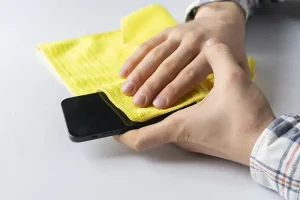
Your screen is often covered in oily fingerprints, dead skin, makeup and countless other things throughout your day. It takes the most abuse, so it needs a proper cleaning.
A microfiber cloth is the best way to clean your screen without leaving scratches. Avoid paper towels, because they are rough and can leave scratches and nicks. Most dirt and debris will wipe away with just the cloth. For stubborn marks and smudges, use distilled water to break up the debris.
The back and sides of your device can be cleaned the same way, and they are usually more sanitary since your case protects them for the most part.
The last step is to make sure the ports and edges are clean. Whether it’s your charging port or headphone jack, dust and debris can sneak inside and stay there unnoticed. The easiest way to clean these areas is to use canned air and gently blow out the larger debris.
See, nothing fancy going on here. By keeping your device clean you have one less thing to worry about carrying germs and bacteria.
How to Clean a Smartphone Case
After you’ve cleaned your device, it’s time to move on to the case, which can be just as dirty. Think of this step like cleaning the device: you’re going to clean every area so you don’t leave any dust, germs or allergens behind.
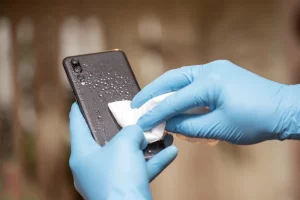
You can use the same microfiber cloth to clean most of the case. Gently wiping down every area removes most debris safely. For the hard-to-reach nooks and crannies, use a cotton swab, and the can of air again.
Last, but certainly not least, disinfect the device and case before putting them back together. Disinfectant wipes are the quickest and easiest way to do it, and they leave no germs or allergens on the device. While you should give your device and case a thorough cleaning often, you can stretch the time between in-depth cleanings by using disinfectant wipes frequently through the week.
Then you’re ready to put the case back on your phone and start your day. Now that you know the basic steps, next time it won’t feel quite as daunting.